What Is a First-Party Cookie and Why Does Your Store Need One?
Everyone says "first-party cookies" like you already know what they are. Here's a plain-English explanation of what they actually are, why Safari is destroying your attribution, and what to do about it.
What Is a First-Party Cookie and Why Does Your Store Need One?
You've probably heard "first-party data" and "first-party cookies" mentioned in every tracking conversation for the past two years.
Usually alongside phrases like "privacy-first future" and "cookie deprecation" and "the death of third-party tracking."
Most articles about this are written for engineers or privacy lawyers. This one is written for the person actually running the ads.
Here's what a first-party cookie actually is, why it matters for your store's attribution, and what you need to do about it.
Cookies in One Paragraph
A cookie is a tiny file your browser stores when you visit a website.
It's how websites remember things about you. Your shopping cart. Your login status. The fact that you already dismissed a popup. And for advertisers - the fact that you clicked a specific ad before visiting.
That last use case is what the whole "cookie crisis" is about.
Third-Party Cookie vs First-Party Cookie
Here's the distinction that actually matters:
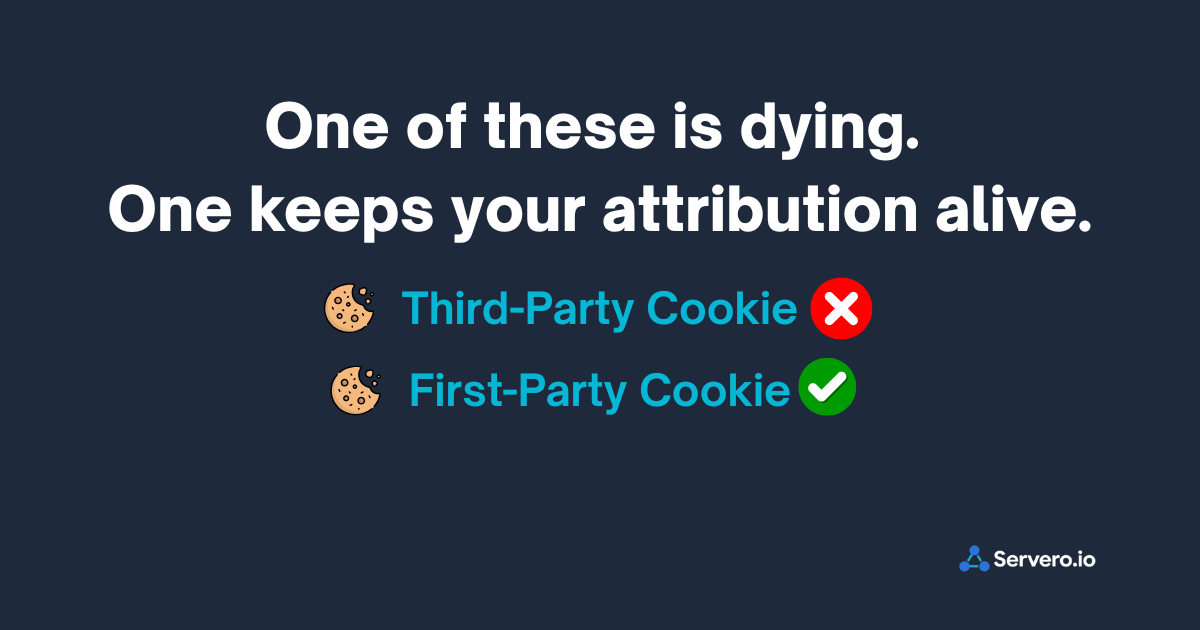
A third-party cookie is set by a domain that is NOT the website you're visiting.
When you visit a Shopify store and the Meta Pixel fires, it sets a cookie from connect.facebook.net — Meta's domain. You're on yourstore.com but a cookie from facebook.com just got placed in your browser.
That's a third-party cookie. It's what lets Meta track you across multiple websites, build a profile, and connect your ad click to your purchase days later.
A first-party cookie is set by the domain you're actually visiting.
When you're on yourstore.com and a cookie is set by yourstore.com - That's first-party. Your browser treats it as belonging to you and the site you chose to visit.
Why Third-Party Cookies Are Breaking
Browsers decided that third-party cookies are a privacy problem. And they're right - they enable tracking users across sites without explicit consent.
Safari blocked third-party cookies entirely in 2017. Firefox followed. Chrome is progressively restricting them.
Meta's Pixel, Google's conversion tag, TikTok's Pixel - all of these historically relied on third-party cookies to connect ad clicks to purchases.
Safari killed that connection back in 2017. For every Safari user who clicked your ad and purchased - if they took more than 7 days, or if Safari's ITP shortened the cookie - the attribution chain broke.
This is a big chunk of your customers. Safari has roughly 18-20% global browser market share. On mobile - where most of your ads are seen - it's the dominant browser for iPhone users.
What First-Party Cookies Fix
If a cookie is set by your own domain — yourstore.com — Safari treats it differently. It doesn't expire after 7 days. It respects it as a legitimate first-party relationship between you and the visitor.
This matters for tracking because:
The _fbp cookie (Meta's browser identifier) and _fbc cookie (the click ID from your ad) can be set as a first-party cookie when your sGTM server runs on your own subdomain.
Instead of Meta's domain setting those cookies (third-party, restricted by Safari), your server sets them on data.yourstore.com (first-party, treated normally).
The cookie survives. The attribution chain stays intact. A customer who clicks your ad on Monday and buys the following Thursday — 10 days later — still gets attributed correctly. Safari didn't delete the connection.
How sGTM Creates First-Party Cookies
This is where the subdomain setup becomes important for reasons beyond just "making things first-party in theory."
When your sGTM container runs on data.yourstore.com:
Your server can set cookies on that subdomain. Those cookies are first-party from the browser's perspective - they belong to yourstore.com, which is the site the visitor is on.
The _fbp and _fbc Values that Meta uses for matching can be stored in these first-party cookies. Even after a Safari user's session ends, comes back a week later, or opens the link from their email - the cookie is still there.
The practical effect: Safari multi-visit attribution - the customer who researches before buying - stops being the invisible conversion it was under third-party tracking.
The Three Things First-Party Cookies Help With
1. Extended attribution windows
Third-party cookies on Safari expire in 7 days (or less, with ITP). First-party cookies set by your server don't have this forced expiry.
For stores selling anything with a consideration phase longer than a week - furniture, electronics, fashion at higher price points - this is a meaningful recovery of attribution you were systematically losing.
2. Better Meta Event Match Quality
_fbp and _fbc are among the strongest matching signals for Meta's CAPI. When these values travel with your server-side purchase events as first-party data, Meta's ability to match that conversion to the user who clicked your ad improves significantly.
Every store that skips this step is capping its Event Match Quality below what it could be.
3. Cross-session user recognition
When a customer visits your store multiple times across different sessions, first-party cookies maintain a consistent identifier for them. This improves not just ad attribution but also your own analytics - understanding return visit patterns, time to purchase, and customer journey becomes more reliable.
What You Don't Need to Do
You do not need to build a custom cookie management system.
You do not need a developer to write cookie-setting code.
When your sGTM server runs on your own subdomain - which is standard with any managed sGTM hosting platform - the infrastructure for setting first-party cookies is already in place.
What you do need to configure:
In your server container, there's an option to set a first-party cookie for the _fpid (first-party ID) on your subdomain. This is typically a setting in your GA4 client configuration within the server container.
Enabling it tells your server: "When a visitor arrives, set a persistent identifier on our own subdomain." That identifier travels with subsequent events, extending your attribution window beyond what the browser alone would allow.
The Simple Mental Model
Think of it this way.
Third-party cookie: a note Meta left on the visitor's desk. The school (browser) confiscated it after 7 days.
First-party cookie: a note you left on the visitor's desk. The school has no policy against notes from teachers (first-party domains). It stays.
The information in the note is the same — who this visitor is, what ad they came from. The difference is who left it and whether the browser will allow it to persist.
sGTM running on your subdomain means you're leaving the note. Not Meta.
Practical Checklist
If you want to confirm first-party cookies are working in your setup:
Check your subdomain is correctly configured - your sGTM container should be running on
data.yourstore.comor equivalent, not a generic hosting URLCheck that
_fbpand_fbcvalues are being captured - in GTM Preview Mode, look at the cookies present when a purchase fires. Are_fbpand_fbcvisible?Check that these values pass to your CAPI tag - in server container preview, confirm the CAPI tag is receiving fbp and fbc fields in the event data
Check your EMQ score in Meta Events Manager - if fbp/fbc are missing or showing "low coverage," that's your signal
Most stores that have sGTM running but see an EMQ score stuck below 7 are missing exactly this. The infrastructure is there. The cookies just aren't flowing through correctly to the CAPI tag.
First-party cookies aren't a technical luxury. For any store with Safari traffic and a multi-visit purchase pattern, they're the difference between accurate attribution and a systematic blind spot.
The good news: if you have sGTM running on your own subdomain, you're already 80% of the way there. The remaining 20% is making sure fbp, fbc, and the first-party ID cookie are actually being set and forwarded correctly.
That's a configuration check, not a new build.
Need help confirming your first-party cookie setup is working correctly? [Start on Servero →]