What Is Server-Side Tracking and Why Your Business Needs It
Your Shopify shows 1,000 orders. Meta shows 612. The gap is real — and it's costing you. Here's a complete plain-English guide to what server-side tracking is and why your business needs it in 2026.
What Is Server-Side Tracking and Why Your Business Needs It
Here's a number that should bother you.
Your Shopify store processed 1,000 orders last month. Your Meta Ads dashboard shows 612 purchases. Your Google Ads account shows 390 conversions. If you add those up — they don't even match each other, let alone your actual sales.
You're not imagining it. The data is genuinely broken. And the reason it's broken is the same reason this conversation about server-side tracking keeps coming up everywhere you look.
This guide explains the problem plainly, what server-side tracking actually is, and whether your business needs it — without the jargon, the sales pitch, or the assumption that you already know what a Docker container is.
The Problem: How Digital Tracking Actually Works (And Why It's Breaking)
To understand server-side tracking, you first need to understand how the old way worked — and why it's failing.
The Old Way: Client-Side Tracking
For the past 20 years, digital tracking worked like this.
A customer found your business through a Google search or clicked one of your Facebook ads. They visited your website. When their browser loaded your page, it also loaded a collection of small JavaScript programs — tracking scripts — from companies like Google, Meta, TikTok, and others. These scripts watched what the visitor did. When the visitor made a purchase, the scripts sent that information back to the advertising platforms.
"Someone just bought. Here's what they bought. Here's what the order was worth. The ad that brought them here was this one."
It was simple. It worked. And for years, it was good enough.
The key word is "was."
Why Client-Side Tracking Is Breaking Down
Three things happened over the past several years that broke this system. They didn't happen all at once — they accumulated. And their effects compound on top of each other.
Apple changed the rules.
In 2021, Apple introduced App Tracking Transparency (ATT) with iOS 14.5. Every iPhone user started getting a prompt: "Do you want to allow this app to track you?" Most people said no. Industry data consistently shows opt-out rates between 70 and 80 percent in consumer contexts.
That alone removed a majority of iPhone users from the tracking picture for Facebook and Instagram ads.
Then iOS 17 added Link Tracking Protection. When someone clicks an ad and the link opens in Safari or gets shared through Messages or Mail, iOS 17 strips the tracking parameters — the fbclid and gclid codes that connect the ad click to the eventual purchase. The customer still arrives on your site. They still buy. But the thread connecting "this person came from that specific ad" gets cut before your tracking scripts even have a chance to see it.
Browsers started blocking tracking by default.
Safari introduced Intelligent Tracking Prevention (ITP) in 2017 and has been tightening it every year since. ITP limits how long tracking cookies set by third-party scripts can survive. Today, those cookies expire in seven days — sometimes less.
What this means in practice: a customer who clicks your Facebook ad on Monday but doesn't buy until the following Wednesday is no longer being attributed correctly. The cookie that would have connected the click to the conversion expired while the customer was thinking it over.
For any product with a consideration window longer than a week — electronics, furniture, fashion at higher price points, almost anything B2B — this systematically breaks your attribution data.
Firefox has implemented similar restrictions. Even Chrome, which has been slower to move, is progressively tightening its cookie policies.
Ad blockers became mainstream.
Ad blockers have existed for years, but they've grown from a niche tool used by technically sophisticated users to a broadly mainstream behavior. Research from 2025 and 2026 shows ad blockers now affect more than 40 percent of sessions in key markets like Germany, France, and among tech-focused audiences in the United States.
When someone uses an ad blocker, your tracking scripts — the Meta Pixel, the Google Analytics tag, the TikTok Pixel — often don't load at all. The visitor browses your site, adds to cart, purchases, and leaves. To your ad platforms, they never existed.
Here's the part that stings: the demographics most likely to use ad blockers — younger, technically aware, privacy-conscious adults — tend to be some of the highest-value audiences for e-commerce stores.
How These Problems Stack
The reason your numbers look so bad isn't just any one of these factors. It's that they stack.
A visitor who is a 28-year-old iPhone user on Safari with uBlock Origin installed, shopping from Germany — where consent rejection rates are high — is invisible to your client-side tracking through four separate, independent mechanisms simultaneously.
That's not an edge case. That's a significant portion of the internet-using population in 2026.
Research across industries consistently shows that businesses relying solely on client-side tracking are missing between 30 and 50 percent of their actual conversion data. The algorithms running your ad campaigns are learning from a picture that's missing nearly half the reality.
That's the problem server-side tracking exists to solve.
What Is Server-Side Tracking?
Server-side tracking moves the data collection and forwarding process off the visitor's browser and onto a server you control.
Here's the clearest way to think about it.
Client-side tracking: Your website asks your customer's browser to deliver a message to Meta and Google. The browser might do it, might get blocked, might have the message intercepted or modified along the way.
Server-side tracking: Your server delivers the message directly. No browser in the middle. No ad blockers. No iOS restrictions. No cookie expiry. Your server knows about the purchase because it processed the order. It reports the purchase directly to Meta, Google, TikTok — whoever you configure — through a direct server-to-server connection.
The customer's browser behavior becomes irrelevant to the conversion signal. Whether they're on an iPhone with ATT disabled, using Brave browser, or browsing from a country with strict consent laws — when they buy, your server knows, and your server tells the platforms directly.
The Role of Server-Side Google Tag Manager (sGTM)
The most practical implementation of server-side tracking for most businesses uses a tool called Server-Side Google Tag Manager — sGTM.
Google Tag Manager is the tool most marketers already use to manage tracking scripts on their website. It's a container that holds all your tags — your Meta Pixel, your GA4 tag, your Google Ads conversion tag — so you can manage them from one dashboard without editing your website's code.
The server-side version adds a server in the middle of that process.
Instead of your website browser firing tags directly to Meta and Google, it fires a single request to your sGTM server container. Your server container receives that data, processes it, and routes it to every platform you've configured — Meta CAPI, GA4, TikTok Events API, Google Ads Enhanced Conversions — simultaneously.
One request from the browser. Your server handles the rest.
First-Party vs Third-Party in This Context
A critical piece of the server-side tracking setup is running your sGTM container on a subdomain of your own website — something like data.yourstore.com or track.yourstore.com.
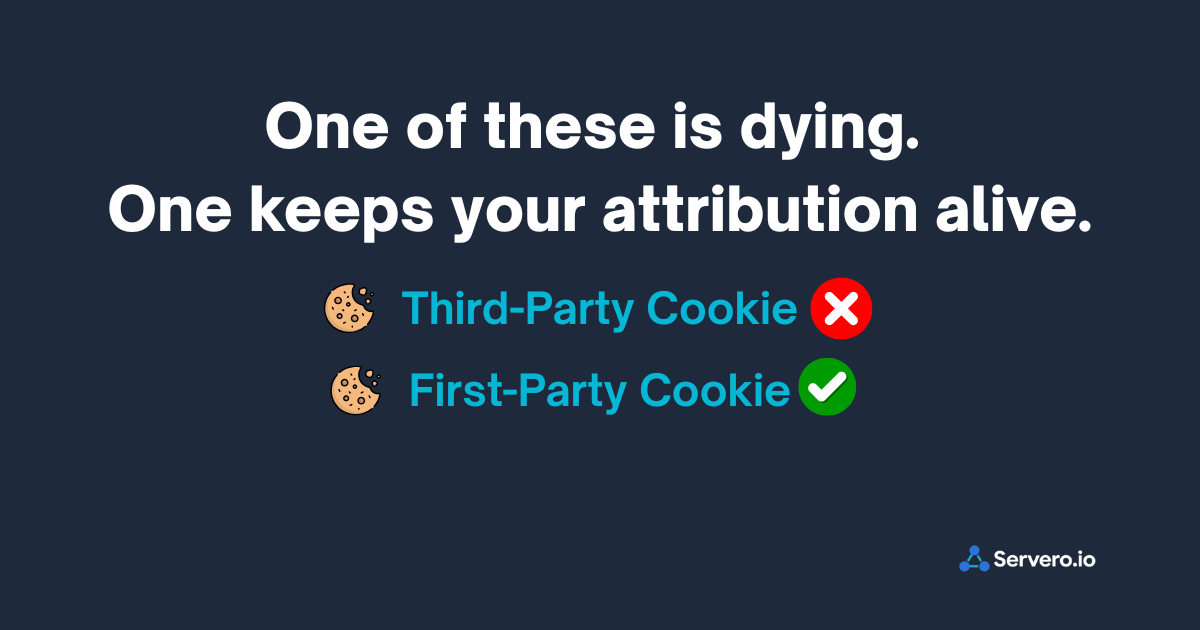
When your server runs on your own subdomain, the cookies it sets are treated as first-party cookies by browsers. Instead of Meta's servers setting a cookie (third-party — blocked by Safari and most modern browsers), your server sets a cookie on your own subdomain (first-party — trusted by browsers as a normal relationship between you and your visitor).
This is how server-side tracking extends attribution windows past Safari's seven-day ITP limit. First-party cookies don't expire on ITP's seven-day schedule. A customer who clicks your ad and returns fourteen days later to purchase can still be attributed — because the first-party cookie on your own subdomain survived.
How Server-Side Tracking Works: The Full Flow
Here's what actually happens when a customer purchases on a properly configured server-side tracking setup:
Step 1: Customer clicks your Facebook ad and lands on your store. Your sGTM server sets a first-party cookie on data.yourstore.com identifying this browser session and storing the ad click data.
Step 2: Customer browses, adds to cart, proceeds to checkout. Every page view and interaction sends data to your sGTM server first — not directly to Meta or Google.
Step 3: Customer completes the purchase. Your order processing system records the order. Your sGTM server receives the purchase event from the web container.
Step 4: Your sGTM server simultaneously sends the purchase event to:
Meta's Conversions API (with the customer's hashed email, phone, order value, and the fbp/fbc cookie values)
Google Analytics 4
Google Ads Enhanced Conversions (with hashed customer data for attribution matching)
TikTok Events API (if you're running TikTok ads)
Step 5: Meta receives the server event. They match it to a real Facebook user using the hashed email address — not the fbclid parameter that iOS 17 stripped. Attribution successful, even for an iPhone user with ATT disabled.
The customer's browser behavior didn't determine whether this conversion was captured. Your server handled it regardless.
The Real Benefits of Server-Side Tracking for Your Business
Benefit 1: Recover Lost Conversion Data
The most immediate and measurable benefit is conversion recovery.
Businesses switching from client-side-only to properly configured server-side tracking consistently recover 20 to 40 percent of previously missing conversions. For some setups — particularly those targeting iOS-heavy audiences or markets with high ad blocker prevalence — recovery rates are even higher.
What this means in practice: if your Meta dashboard currently shows 600 conversions for a month where Shopify shows 1,000 orders, a properly configured CAPI setup will bring that Meta number significantly closer to reality. Not to 1,000 — some gap always exists due to attribution model differences and structural data loss. But from 600 to 800 or 850 is realistic and has real economic value.
Benefit 2: Improve Your Ad Algorithm's Performance
This benefit is less obvious but more important long-term.
Meta's ad algorithm, Google's Smart Bidding, TikTok's optimization system — these are all machine learning systems. They learn who your buyers are, where they came from, and which ads drove conversions. They use those learnings to find more people like your buyers and show them ads more efficiently.
When those systems are learning from 60 percent of your actual conversion data, they're building an increasingly confident but wrong picture of who your customers are. They optimize toward the buyers they can see — which systematically excludes iOS users, ad blocker users, and privacy-conscious Safari users.
Over time, this means your ad spend becomes less efficient. Your CPAs creep up. Your ROAS declines. Not because your ads got worse — because the signal your algorithm was learning from degraded.
Server-side tracking restores that signal. More complete data means the algorithm makes better decisions. Research from Usercentrics indicates that businesses with properly configured server-side tracking see ROAS improvements of up to 35 percent compared to client-side-only setups — not from changing their ads, but from feeding the algorithm what it was missing.
Benefit 3: Improve Your Site Speed and Core Web Vitals
Every tracking script loaded in a visitor's browser adds to your page's JavaScript weight. Your Meta Pixel, your GA4 tag, your Google Ads conversion tag, your TikTok Pixel — loaded individually, they contribute to slower page loads, higher bounce rates, and lower Core Web Vitals scores.
Google uses Core Web Vitals as a ranking signal for search results. A slower site doesn't just frustrate visitors — it costs you organic search visibility.
With server-side tracking, your browser fires a single lightweight request to your sGTM server. The server handles routing to all your platforms. The browser doesn't load multiple third-party scripts. The result is measurably faster page loads — often 10 to 20 percent reductions in JavaScript load time, depending on how many platforms you were tracking client-side before.
Benefit 4: Control What Data Leaves Your Infrastructure
With client-side tracking, every vendor's JavaScript library runs in your visitor's browser with broad access to page data. You have limited control over what those scripts collect or where they send it.
With server-side tracking, your server is the gatekeeper.
Before an event gets forwarded to Meta or Google, it passes through your server container. You decide:
Which data fields get included
Which get filtered out (PII you don't want reaching ad platforms)
Which get enriched (adding data from your own database, like customer lifetime value or subscription status, before forwarding)
Which platforms receive which events
This level of control matters increasingly as privacy regulations tighten globally. GDPR, CCPA, and emerging regional privacy laws require businesses to be explicit about what data they share with third parties. Server-side tracking makes compliance implementation more precise and auditable.
Benefit 5: Future-Proof Your Tracking Infrastructure
The trajectory of browser privacy restrictions is clear and consistent. Apple tightens ITP every year. Firefox follows. Chrome is moving in the same direction. New privacy regulations are being introduced globally.
Every major update Apple releases makes client-side tracking marginally less reliable. Businesses that haven't made the transition yet are operating on borrowed time — each iOS update chips away at the effectiveness of their pixel-based measurement.
Server-side tracking, by moving conversion signaling to your own infrastructure, is structurally resilient to browser changes. When Apple releases iOS 18 or 19 with new privacy features, your server-side conversion data doesn't break. It doesn't depend on browser cooperation.
Building your tracking infrastructure on a server you control is the only measurement approach that doesn't require betting on browser vendors maintaining your data quality.
Who Needs Server-Side Tracking?
Not every business has the same urgency. Here's how to think about your own situation.
You need it now if:
You're running paid ads on Meta (Facebook/Instagram). This is the highest-urgency case. Meta's ad algorithm is more dependent on conversion signals than any other major ad platform, and iOS restrictions have hit Meta attribution harder than anything else. If you're spending money on Meta ads without CAPI running, you're optimizing on a broken signal.
Your Shopify order count is significantly higher than what Meta reports. A gap of more than 20 to 25 percent between your actual orders and Meta's attributed conversions is the clearest signal that your tracking is broken and you're losing meaningful data.
A significant portion of your audience is on iPhones. In most consumer e-commerce verticals, this is the majority of your mobile traffic. If your mobile analytics show heavy iOS representation, iOS attribution loss is affecting you materially.
You sell anything with a consideration window longer than a week. If customers research before buying — typical for anything above $100 — Safari's seven-day ITP cap is systematically breaking your attribution for returning purchasers.
You operate in markets with high ad blocker usage. Northern Europe, tech-focused audiences, younger demographics. If your analytics show high desktop traffic from these segments, ad blocker-related data loss is likely significant.
You can wait if:
You're a very early-stage business with minimal ad spend. At under $1,000 per month in ad spend, the ROI on the setup investment is harder to justify immediately. Get there first, then set this up.
You operate entirely without paid advertising and are focused purely on organic channels. Server-side tracking's primary benefits are ad attribution and algorithm signal quality. If you're not running paid ads, the urgency is lower — though the analytics accuracy and site speed benefits still apply.
Server-Side Tracking vs Client-Side Tracking: A Direct Comparison
Client-Side Tracking Server-Side Tracking Where it runs Visitor's browser Your server Ad blocker impact Blocked in 40%+ of sessions Server not affected by browser blockers iOS ITP impact Cookies expire in 7 days First-party cookies, no forced expiry iOS ATT impact Severely limited for 70-80% of users Server-to-server bypasses browser tracking Site performance Multiple scripts slow page loads Single lightweight request from browser Data control Limited — vendors control their scripts Full — you control what leaves your server Setup complexity Low — drop a script Moderate — requires server configuration Setup cost Free (but data loss is expensive) $17-$80/month managed hosting GDPR/privacy compliance Harder — limited data control Easier — full control before data leaves Future-proof No — worsens with each browser update Yes — structurally independent of browsers
How Much Does Server-Side Tracking Cost?
The old answer was: a lot. A proper self-hosted setup on Google Cloud Platform required significant developer time — 50 to 120 hours of setup — plus ongoing infrastructure management. At agency rates, that was a $6,000 to $14,000 investment before a single event fired.
The new answer is: substantially less.
Managed sGTM hosting platforms now exist specifically to remove the infrastructure burden. Instead of configuring Google Cloud Run, managing SSL certificates, and maintaining server uptime yourself, you sign up for a managed platform, connect your domain, and the hosting is handled for you.
Managed hosting costs range from roughly $17 to $80 per month depending on your traffic volume. Setup time with a managed platform is typically 30 minutes to 2 hours — no developer required.
For any business spending meaningful money on paid ads, the math is straightforward. If server-side tracking recovers 20 to 40 percent of missing conversions, and you're spending $5,000 per month on Meta ads — the efficiency improvement from better algorithm signal alone far outweighs a $17-$80/month hosting cost within the first month.
What Server-Side Tracking Does Not Do
It's worth being honest about limitations, because the category has a habit of being oversold.
It does not bypass all ad blockers. Modern ad blockers — Brave browser, uBlock Origin, Firefox Enhanced Tracking Protection — analyze request patterns and payload shape, not just domain names. Your custom subdomain helps against basic blocklist-based blockers. It does not fool sophisticated behavioral analysis. The real data recovery for ad blocker users comes from server-to-server conversion reporting (CAPI), not from the custom domain itself.
It does not recover 100% of lost conversions. Some data loss is structural. Apple's ATT opt-outs, consent rejections from EU users, and users with extreme privacy configurations represent conversions that cannot be fully recovered through any technical means. Realistic recovery rates are 50 to 65 percent of estimated losses — significant, but not complete.
It does not replace good data practices. Server-side tracking is infrastructure, not a strategy. You still need proper event mapping, deduplication configuration, and quality customer data flowing from your checkout. A poorly configured server-side setup can produce inaccurate data just as reliably as a broken client-side one.
It is not the same as legal compliance. Server-side tracking gives you better control over data before it leaves your infrastructure. Whether your overall tracking setup is GDPR-compliant depends on your consent mechanism, your legal basis for processing, and your data processing agreements — not just on whether data flows through your server.
Getting Started: The Right Order
If you've decided server-side tracking is right for your business, here's the sequence that works:
1. Choose managed hosting. Unless you have a developer and the time to maintain GCP infrastructure, managed sGTM hosting is the right choice. Look for platforms that handle custom domain setup, SSL certificates, and server provisioning without requiring a Google Cloud account.
2. Create your GTM server container. In Google Tag Manager, create a new container with Server as the target platform. Select "Manually provision tagging server" — not the automatic GCP option.
3. Connect your custom domain. Set up a subdomain on your own website (data.yourstore.com) and point it to your managed hosting with a CNAME record. This is what makes your cookies first-party.
4. Update your GA4 Configuration tag. In your web GTM container, add your server subdomain as the Server Container URL. This routes all your events through the server first.
5. Add Meta CAPI. In your server container, add the Facebook Conversions API tag. Set it to "Inherit from client" — it automatically reads all the event data arriving from your web container. Add your Pixel ID and Access Token.
6. Configure deduplication. Add an event_id to both your Meta Pixel tag and your GA4 event tags in the web container. This prevents Meta from double-counting the same purchase from Pixel and CAPI.
7. Verify. Use GTM Server Container Preview Mode and Meta's Test Events tool to confirm events are flowing correctly before calling the setup complete.
The Bottom Line
Server-side tracking exists because the infrastructure that digital advertising has depended on for twenty years is actively being dismantled by browser vendors, device manufacturers, and privacy regulators.
That dismantling is not going to reverse. Apple is not going to loosen ITP. Browsers are not going to re-enable third-party cookies. The trajectory is consistent and one-directional.
Businesses that continue relying entirely on client-side tracking are making an increasingly expensive bet that their missing data doesn't matter. The evidence consistently shows it does — in degraded algorithm performance, rising CPAs, and business decisions made on incomplete information.
Server-side tracking is not a luxury feature for large enterprises. It is the foundational measurement infrastructure for any business running paid advertising in 2026. The cost of setting it up is now measured in hours and tens of dollars per month.
The cost of not setting it up is measured in the cumulative efficiency loss of every ad campaign you run on a broken signal.
Ready to set up server-side tracking without Google Cloud, without a developer, and without spending a week figuring it out? [Start free on Servero — your container is running in minutes →]